
Download ReadFine – Read Articles from RSS, Google Reader, HTML
Overview
ReadFine is a mobile application engineered to enhance the digital reading experience by consolidating content from multiple sources into a single, cohesive interface. Designed for users who regularly consume articles from RSS feeds, Google Reader, and HTML-based content, the app serves as a centralized tool for managing and reading text across diverse platforms. Its primary function is to streamline access to online reading material, reducing the need to switch between multiple apps or browser tabs. This makes it particularly useful for professionals, students, and content enthusiasts who rely on consistent, organized access to information.
The app targets individuals seeking a distraction-free, customizable reading environment that supports a variety of input formats. While the developer did not provide additional background details, the application’s long-standing presence since its release on November 24, 2011, suggests a stable and enduring design philosophy. Real-world use cases include reading news updates, research papers, blog posts, and personal notes—all accessible in one place with minimal friction. In the broader app ecosystem, ReadFine fills a niche for lightweight, utility-focused tools that prioritize content over complexity, offering a reliable alternative to more feature-heavy reading platforms.
Key Features & Functionality
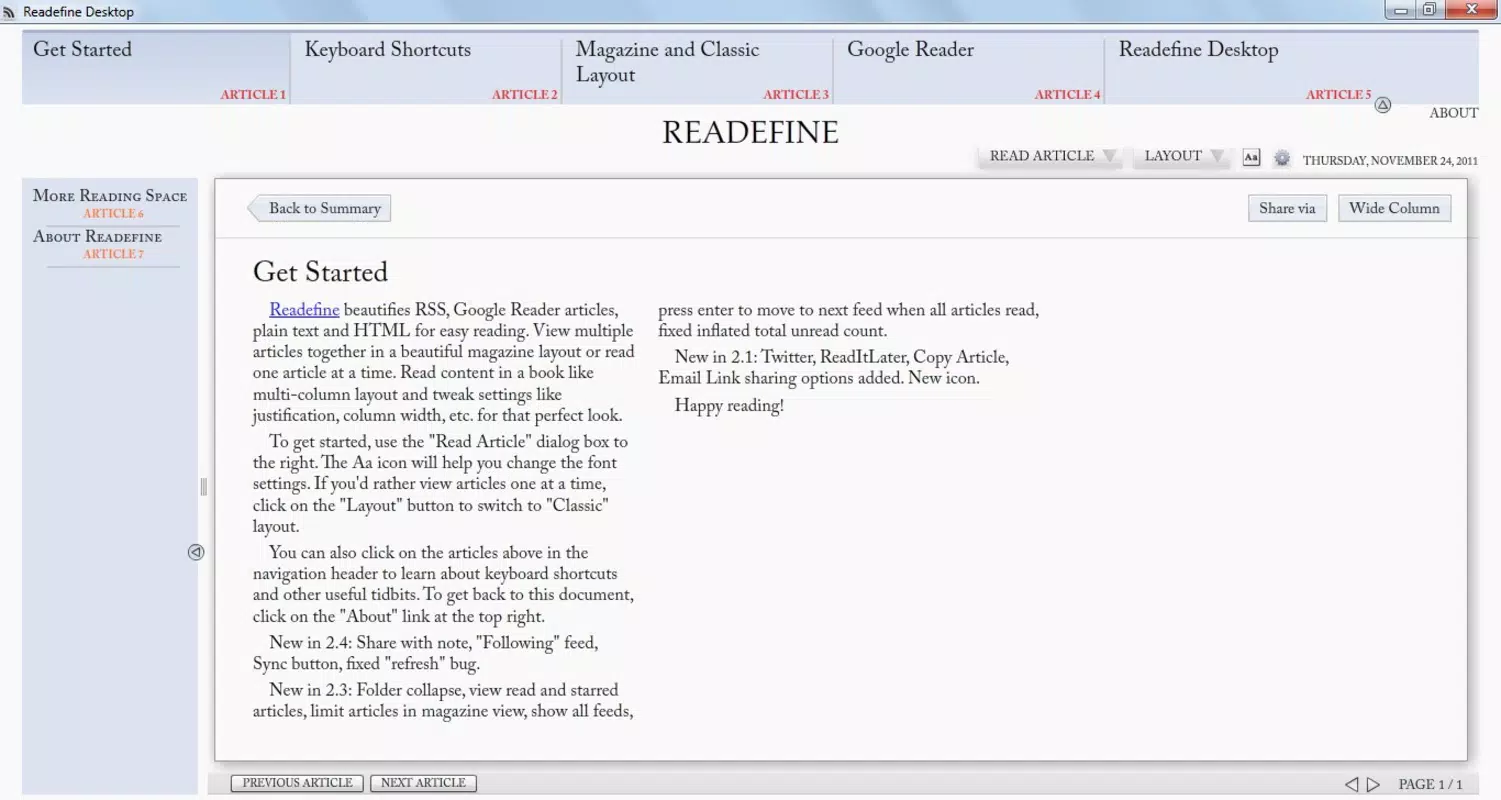
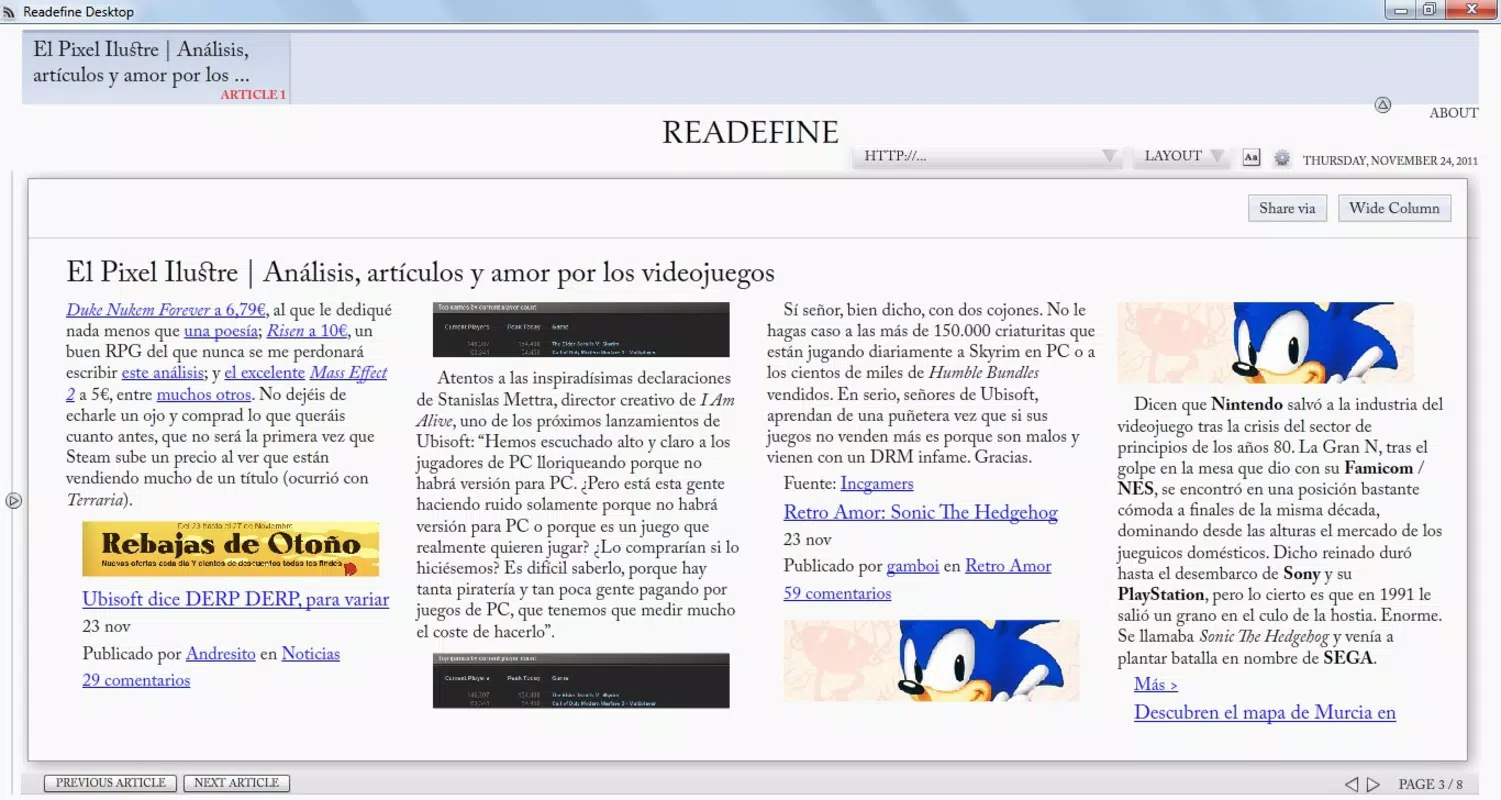
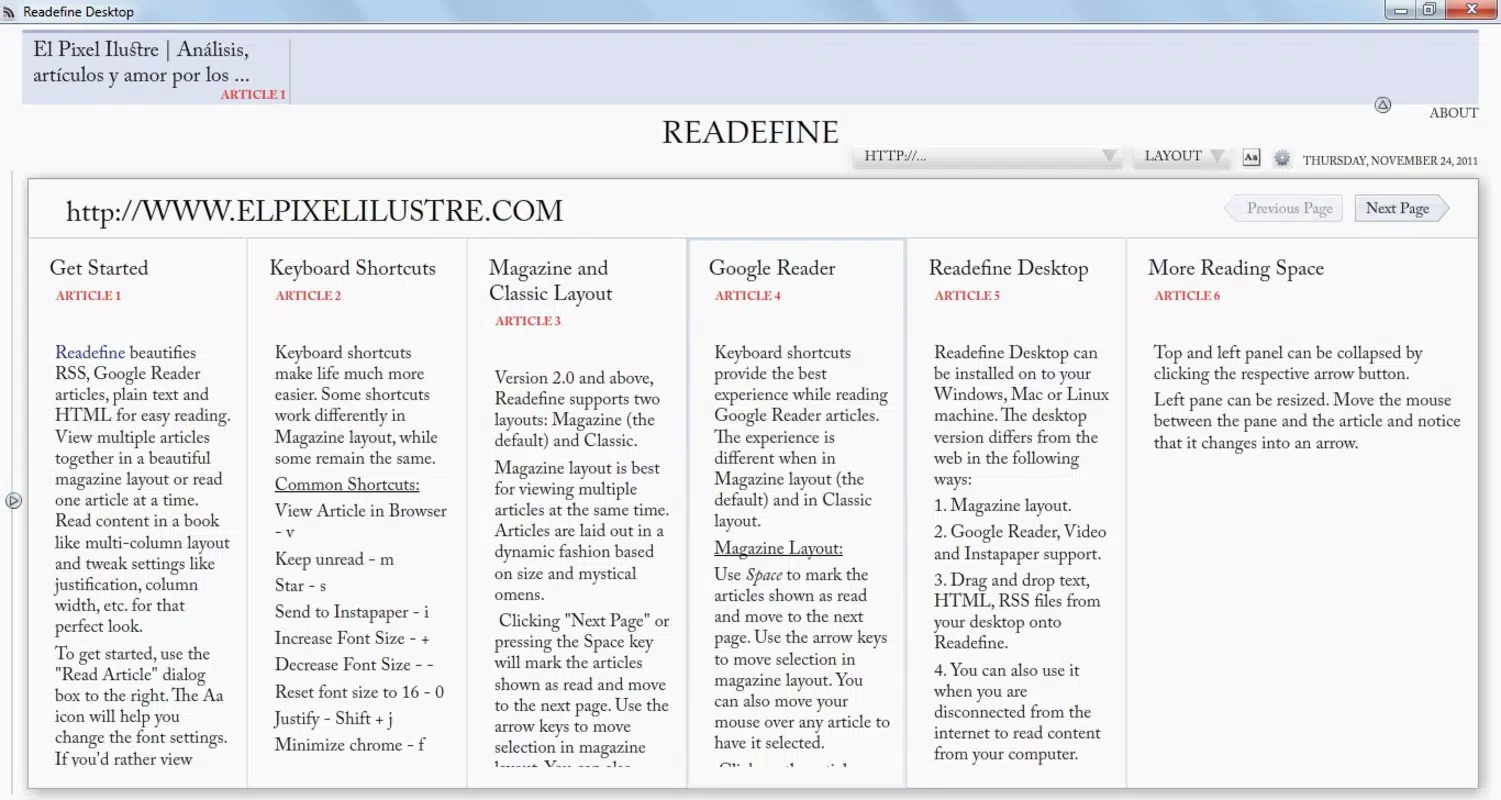
- Customizable Interface: Users can adjust the number of columns, font type, and font size to suit their visual preferences. This level of personalization helps reduce eye strain and improves readability over extended reading sessions.
- Supports Multiple Formats: The app integrates content from RSS feeds, Google Reader, and local HTML files, enabling users to access articles from various sources without switching platforms.
- Image Integration: ReadFine automatically pulls and resizes images from web content to fit the chosen column layout. While image rendering may occasionally fall short of ideal quality, this feature enhances contextual understanding and visual engagement.
- Resource Efficient: Built with minimal system overhead, the app runs efficiently in the background, allowing quick access to saved or recently read articles without impacting device performance.
- Organized Text Presentation: Text is displayed in a clean, structured layout that minimizes visual clutter. This design promotes focus and helps users absorb information more effectively.
For example, a researcher might use ReadFine to compile articles from academic blogs and RSS feeds into a single reading stream, while a student could access lecture notes stored as HTML files alongside current news updates. The app’s ability to handle both online and local content makes it adaptable to a wide range of workflows.
Interface, UX & Performance
The user interface of ReadFine emphasizes clarity and simplicity, presenting content in a grid-like column layout that supports both portrait and landscape orientations. The visual style is minimalistic, avoiding unnecessary animations or decorative elements that could distract from the reading experience. Navigation is intuitive, with a clear hierarchy that allows users to browse feeds, access saved articles, and adjust settings with minimal taps.
Although the developer did not list formal performance metrics, the app’s lightweight nature suggests it performs well across a range of device categories, from budget smartphones to high-end models. Responsiveness appears consistent, with minimal lag during scrolling and layout changes. Stability is supported by the app’s long-standing presence, indicating that core functionality has been refined over time. However, compatibility with modern OS versions has not been confirmed, and users should verify whether the app remains fully functional on current devices.
Platform Compatibility & Technical Requirements
ReadFine is available on Android, though specific OS version requirements were not listed. The app’s file size is not disclosed, but its lightweight design implies a relatively small footprint. This makes it suitable for devices with limited storage or older hardware. The developer did not specify minimum OS requirements, nor did they provide details about supported screen resolutions or hardware capabilities. As such, users should exercise caution when installing on newer devices, as compatibility may vary depending on system updates and API changes.
Pros and Cons
Pros
- Supports multiple content sources including RSS, Google Reader, and HTML files.
- Highly customizable interface with font and column settings.
- Lightweight and efficient, suitable for background operation.
- Organized layout improves focus and readability.
- Long-standing presence indicates reliability and stability.
Cons
- Image rendering may not always be optimal.
- Developer did not provide detailed technical specifications.
- Compatibility with modern operating systems is uncertain.
- No information on update frequency or future development.
- Support for newer web standards or dynamic content is unclear.
FAQ
Is ReadFine available for iOS?
The developer did not specify iOS compatibility. The app is confirmed for Android only.
Can I read local HTML files with ReadFine?
Yes, the app supports reading local HTML files, making it useful for accessing offline content.
Does ReadFine require internet access?
Internet access is required to load content from RSS feeds and Google Reader. Local HTML files can be read offline.
How often is ReadFine updated?
The developer did not provide information on update frequency. The app has not seen recent updates since its 2011 release.
Is ReadFine secure to download and use?
As a long-standing app with no known security issues reported, it is considered safe. However, users should only download from trusted sources.
Final Thoughts
ReadFine remains a niche yet functional tool for users seeking a streamlined, customizable reading experience across multiple content sources. Its ability to integrate RSS, Google Reader, and HTML content into a single interface sets it apart from more generic readers. While its interface may feel dated by modern standards, its lightweight design and focus on core functionality offer a reliable alternative for those who value simplicity and efficiency.
It is best suited for individuals who prioritize content over flashy features—researchers, students, and long-time RSS users. The app’s enduring presence speaks to its stability, even if it lacks modern enhancements. For anyone looking to consolidate reading material without heavy system demands, ReadFine delivers tangible value.
Download ReadFine now


